
CNC Software
The right software
for your CNC.
Two solutions are at the core:
Penta for individual user interfaces and NGSP for intuitive programming. Further software tools support configuration, data analysis, training and remote access.
Two solutions in focus:
operating and programming.
Penta and NGSP work directly at the machine – where operators work with the CNC every day.
Penta
Individual user interfaces – perfectly matched to people and machines.
[TEXT PLACEHOLDER – description of Penta: what is it, who is it for, what are its benefits? Content to be supplied by Mitsubishi Electric.]
Key benefit 01
Short description, max. 2 lines – to be supplied
Key benefit 02
Short description, max. 2 lines – to be supplied
Key benefit 03
Short description, max. 2 lines – to be supplied
NGSP
Intuitive programming – CNC programming
made easy.
[TEXT PLACEHOLDER – description of NGSP incl. full name: what is it, who is it for, what are its benefits? Content to be supplied by Mitsubishi Electric.]
Key benefit 01
Short description, max. 2 lines – to be supplied
Key benefit 02
Short description, max. 2 lines – to be supplied
Key benefit 03
Short description, max. 2 lines – to be supplied
Further software tools
for your CNC.
Complementary tools for setup, data analysis, training and exchange with the machine.
Configure
and optimizePrepare CNC parameters, tune drives, select servo motors.
NC Configurator2 | NC Analyzer2 | NC Designer2 | NC Servo Selection
Production data
Collect, provide, visualize and analyze operating data.
NC Machine Tool Connector | NC Machine Tool Optimizer
Training
and simulationGet to know CNC applications on a PC and check processes in advance.
NC Trainer2 / Trainer2 plus | NC Virtual Simulator
Remote access
and data exchangeMonitor CNC status and manage machining files.
NC Monitor2 | Remote Monitor Tool | NC Explorer
Frequently asked questions
Still have questions? Here you will find answers to the most common topics around Penta, NGSP and our other software tools.
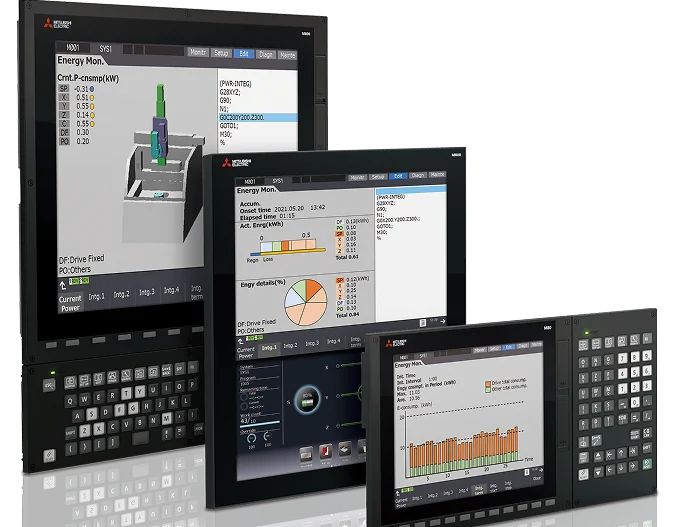
Penta is the Mitsubishi Electric solution for individual user interfaces on the CNC. It adapts the operator screen to the machine, the application and the people who work with it every day.
NGSP makes CNC programming intuitive. Programs are created directly at the machine, where operators work with the CNC every day.
NC Configurator2 prepares CNC parameters, NC Analyzer2 helps tune the drives, NC Designer2 supports the design of custom screens and NC Servo Selection helps you choose suitable servo motors.
NC Machine Tool Connector and NC Machine Tool Optimizer collect operating data from the CNC, provide it to other systems and visualize and analyze it.
Yes. NC Trainer2, NC Trainer2 plus and NC Virtual Simulator let you get to know CNC applications on a PC and check processes before they run on the machine.
NC Monitor2 and the Remote Monitor Tool show CNC status remotely, and NC Explorer lets you manage machining files on the control from a PC.